 dssub
By Cameron Voss · Reviewed November 19, 2026
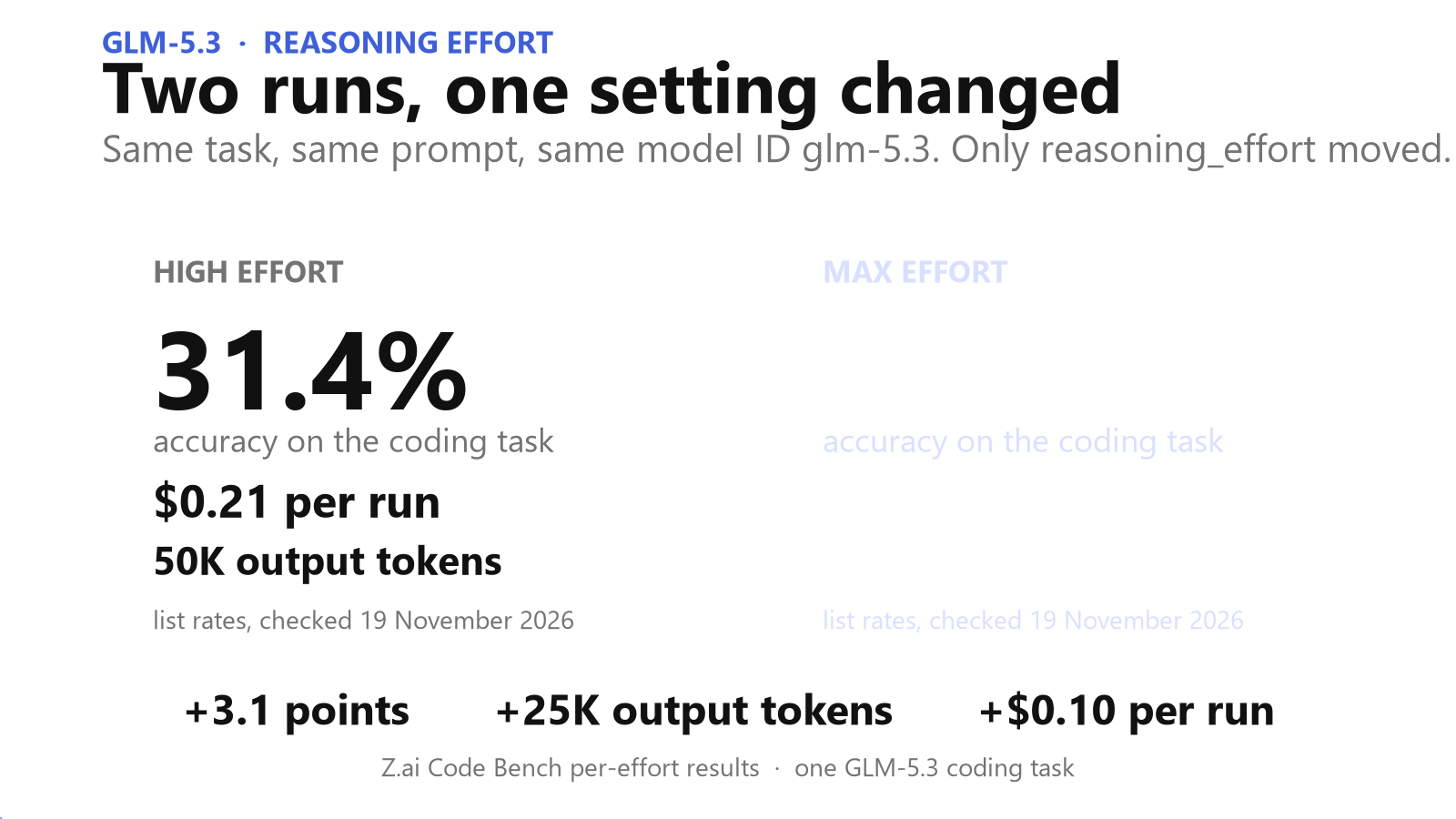
Most calls will stay on high. It is the cheaper setting, and the accuracy gain is narrower than the headline implies. That is what prompted this two-run test: change one field, keep everything else fixed, then calculate the bill from the token counts each call returns.
Where the accuracy numbers come from
The percentages belong to Z.ai, not to me. They are the per-effort figures Z.ai published for one coding task. Its Code Bench is the one public source I found that reports high and max as separate points, so those two figures anchor the comparison. What follows is arithmetic: multiply the published token counts by the list rates and see what the difference costs.
The job is a terminal task, the same class Terminal-Bench 3.0 evaluates. A single model ID, glm-5.3, ran twice. Prompt and task were held constant. reasoning_effort was the only field that changed.
This is a pricing exercise, not a fresh leaderboard entry. I did not repeat the benchmark run.
The two calls
The first call ran at high effort; the second at max. For each, I assumed an 8K-token payload, which is a rough size for a terminal job rather than a claim about your repository.
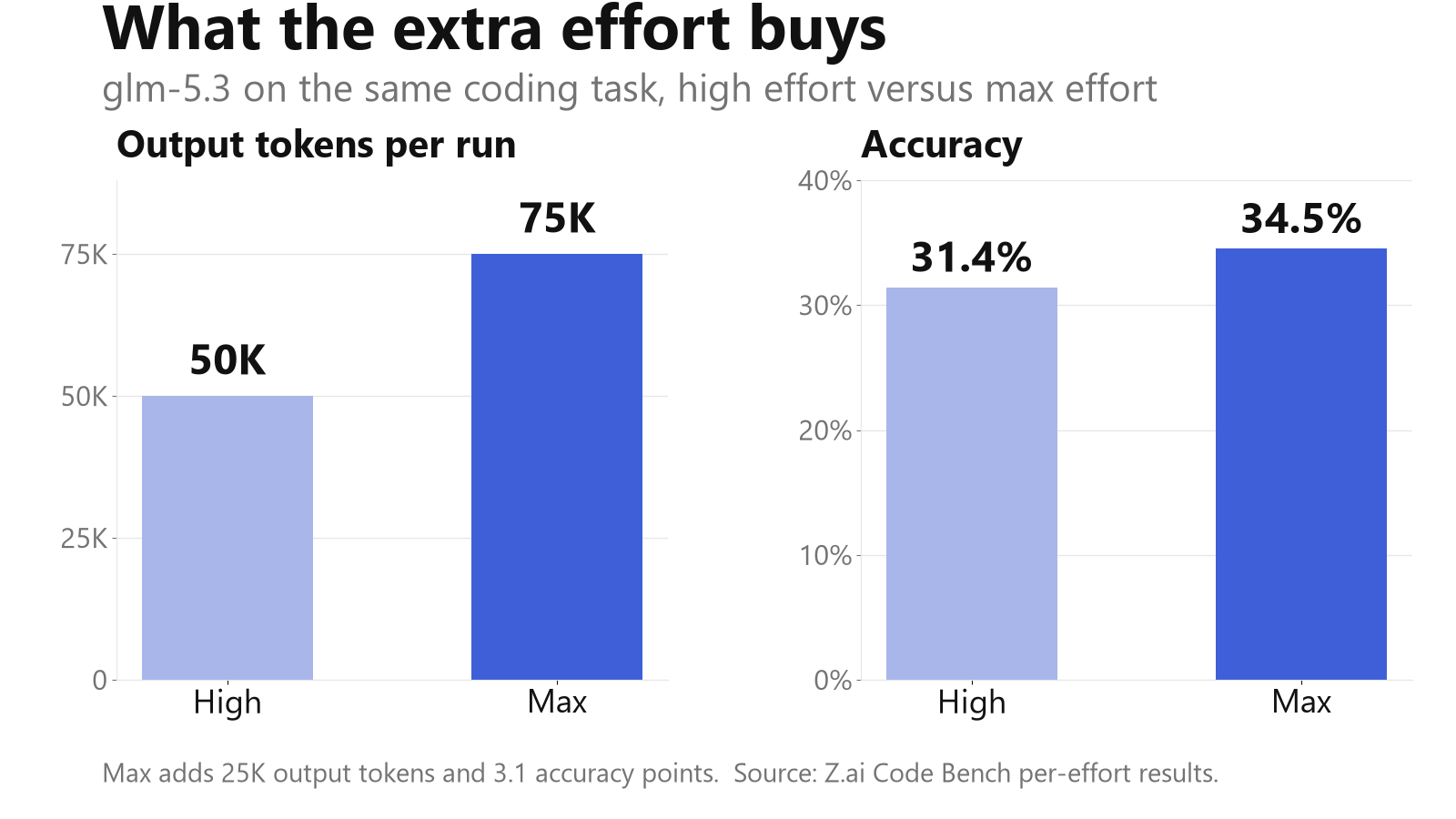
Output is the line that moves. The full model charges $4.00 per million output tokens. High effort produced about 50K of them and scored 31.4%. Max produced roughly 75K and scored 34.5%.
What each call costs
| Run | Effort | Output tokens | Accuracy | Output cost | Input cost | Total |
|---|---|---|---|---|---|---|
| 1 | high | 50K | 31.4% | $0.20 | $0.01 | $0.21 |
| 2 | max | 75K | 34.5% | $0.30 | $0.01 | $0.31 |
| Both | — | 125K | — | $0.50 | $0.02 | $0.52 |
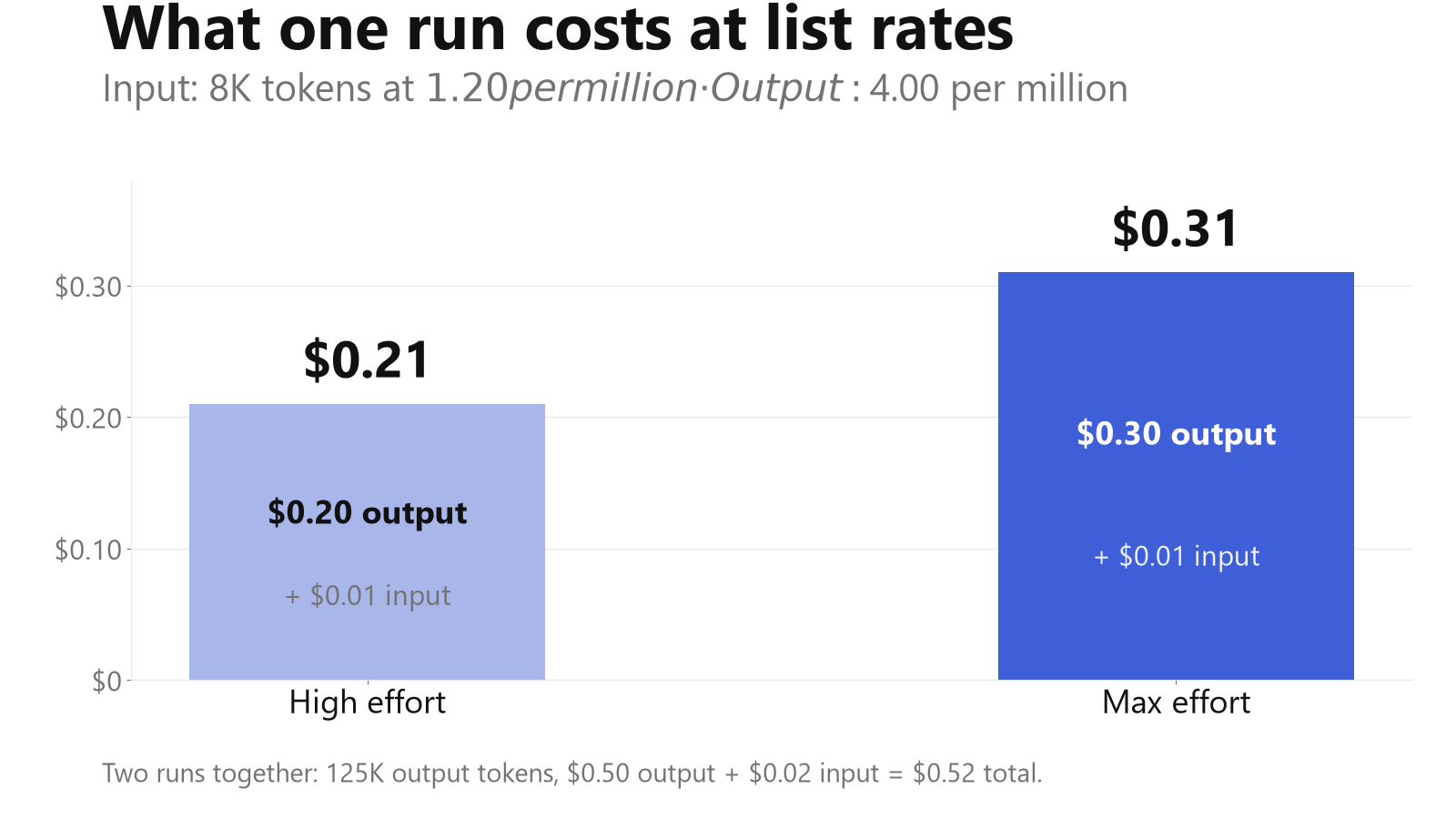
Input runs at $1.20 per million tokens, so an 8K-token input adds $0.01 to either call. Cached input can shrink that line. It cannot shrink the output line.
For the pair, output reaches 125K tokens and $0.50. Input adds $0.02. Total: $0.52.
The last 3.1 points are the expensive ones
On the whole bill and on output alone, high effort is roughly one-third cheaper. Max costs 50% more to gain 3.1 points.
The token side explains the money. Max burns an additional 25K output tokens, which is 50% more. A $0.21 run turns into a $0.31 run at list price.
Use those 3.1 points for planning, not as a judgment about the model. The test prices two published results; it does not establish that max pays off on your workload.
Run the same pair yourself
The request shape is standard for OpenAI-compatible chat completions. Set the base URL and key, send the first call at high effort, then repeat with max.
export API_BASE="<your OpenAI-compatible base URL>"
export API_KEY="your-key-here"

curl -sS "$API_BASE/v1/chat/completions" \
  -H "Authorization: Bearer $API_KEY" \
  -H "Content-Type: application/json" \
  -d '{
    "model": "glm-5.3",
    "reasoning_effort": "high",
    "max_tokens": 256,
    "messages": [
      {"role": "user", "content": "Reply with exactly: connection ok"}
    ]
  }'
After every call, inspect usage.completion_tokens. If high completes the task, stop there. When a run stalls, or the patch does not apply, send the same request with reasoning_effort set to max, then compare the same usage field.
Give max_tokens enough room for reasoning and the final answer. A cap that is too tight can produce an empty message.
Specs that stay constant
Between these two calls, nothing else about the model changes. The context window holds 1M tokens. Output can reach 128K. Three effort levels are available. Those figures come from the earlier release note. This test prices two of the three settings.
How I would budget it
Default to high. Move up only after a task fails, and add about $0.10 per run to the budget before you do.
On long jobs, the extra 25K output tokens matter more than the accuracy delta. The pair comes to $0.52 at list price. Compare that figure with your own usage rather than the headline percentage.
Reviewing GLM for a coding workflow?
Check the GLM model listing on DSSUB for current availability.